
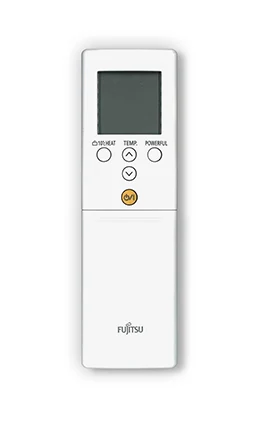
If the remote display is confusing, start with one goal: select normal cooling and understand what the screen is showing. This is a controls tutorial, not a repair method for a system that has stopped cooling.
Need help before you start? Ask MyTradie for a quick overview of your system.
Before you start
Find the operating manual for the installed indoor unit and controller. Confirm the equipment supports the function you want, especially if the remote is a generic replacement.
Step-by-step tutorial
- Record the starting display. Take a clear photo so you can return to the previous settings if needed. Avoid including household or account details in a support photo.
- Find the mode control. Use the manual to identify COOL. A snowflake is common, but symbols and menu layouts vary.
- Set a sensible target. Choose a comfortable cooling temperature using the model’s normal controls. Avoid repeatedly selecting the lowest possible number.
- Check the fan setting. Fan speed within cooling is different from selecting fan-only mode. Confirm the cooling symbol remains selected.
- Allow normal operation. Observe the room without repeatedly changing modes. Use the manual to understand any normal startup delay and note unusual behaviour.
Correct settings but still uncomfortable? Contact our team about the right service or call 0402 155 761.
Check the result
The display should show the intended mode and temperature. Keep external doors and windows managed as appropriate while cooling and record whether comfort improves during normal use.
Stop and get professional help if needed
If the display is correct but cooling remains poor, or there is a leak, burning smell or fault indicator, stop the settings experiment and ask for an assessment. Do not assume the unit needs refrigerant or open equipment covers.
A common question
Why does my remote show a different symbol?
Remotes differ across models and brands. Mitsubishi Electric’s symbol guide is an example, not a universal chart. Use the exact manual when the display does not match.