
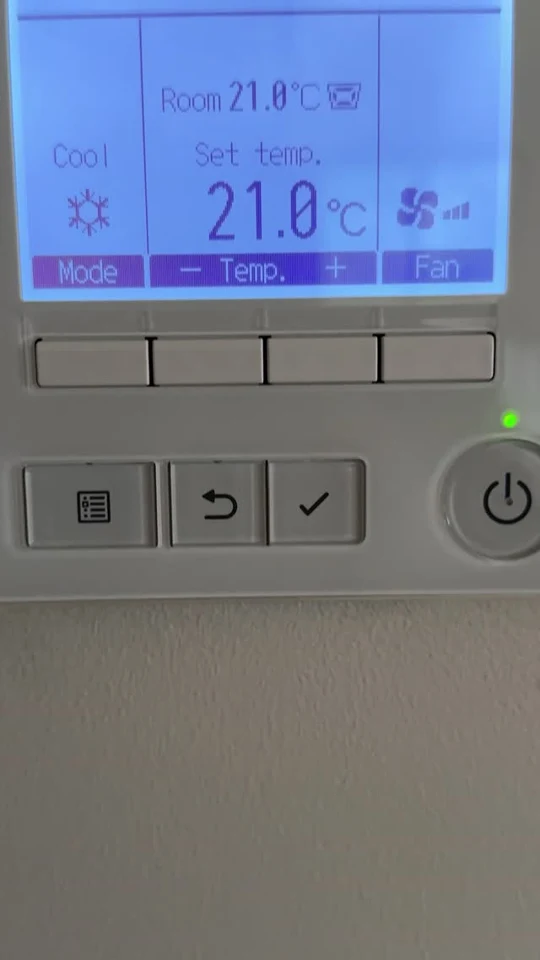
If an app cannot find the air conditioning controller, first separate a network problem from the system’s normal local controls. A short record of the console and phone connection is more useful than repeatedly reinstalling apps.
Need help before you start? Ask MyTradie for a quick overview of your system.
Before you start
Confirm the AirTouch model and use its current instructions. Keep Wi-Fi passwords private; you do not need to include them in a support photo or enquiry.
Step-by-step tutorial
- Check local operation. Note whether the wall console still operates the air conditioning normally. Report this separately from the app issue.
- Confirm the network is available. Check whether another household device can use the intended home internet connection without changing router settings.
- Review the console connection. For AirTouch 5, the manufacturer describes Quick Menu, Settings, Options and Connect to WiFi. Compare the screen before proceeding.
- Use your own credentials privately. Select the intended home network and follow the official connection process. Do not send the password to a service-enquiry form.
- Compare the phone connection. AirTouch’s app guidance asks users to check the console and phone network arrangement. Follow the instructions for the installed version and record any message.
Need help identifying the control issue? Contact our team about the right service or call 0402 155 761.
Check the result
Write down the controller model, whether local operation works, and the exact app message. If a router or network name changed recently, mention that without disclosing security credentials.
Stop and get professional help if needed
Do not factory-reset a controller, delete installer configuration, disable router security or open equipment to solve an app problem. Ask the installer or manufacturer for help when ordinary connection steps do not work.
A common question
Does every controller require the same Wi-Fi band?
No. Requirements depend on the model; current AirTouch 5 guidance lists both 2.4 GHz and 5 GHz. Follow the actual controller documentation instead of a rule copied from another device.