
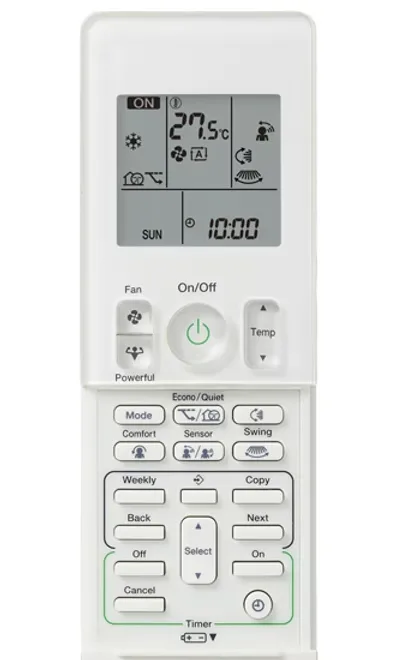
A small remote-care routine can keep the right handset easy to find and make settings changes less confusing. The task is ordinary user care, not repairing switches or electronic contacts.
Need help before you start? Ask MyTradie for a quick overview of your system.
Before you start
Find the controller instructions and its battery specification. Have a soft cloth and a safe place to keep the handset away from heat, moisture and small children.
Step-by-step tutorial
- Record the reference. Photograph the controller label and save the manual link with the indoor-unit model.
- Note useful settings. Write down any clock, timer or weekly routine before a battery change so you can restore it if required.
- Care for the outside. Use only the cleaning method the manufacturer permits. Do not spray liquids into buttons or open the electronic casing.
- Follow the battery process. Use the specified type, polarity and replacement method. Do not mix unsuitable batteries or attempt to repair corroded contacts.
- Check normal operation. Confirm the display, clock and intended settings after the change. Keep the remote in a consistent place so it is not confused with another room’s handset.
Need help finding the correct controller or instructions? Contact our team about the right service or call 0402 155 761.
Check the result
The controller should remain clean, legible and matched to its equipment. A simple label on the storage holder or system folder can help multiple occupants use the correct handset.
Stop and get professional help if needed
Stop if batteries have leaked, the casing is damaged or the controls operate unpredictably. Keep loose batteries away from children and follow local disposal guidance. Do not dismantle the handset or force a damaged battery compartment.
A common question
Can a universal remote replace every original function?
Not necessarily. Confirm compatibility and supported functions for the exact indoor unit before buying a replacement. A similar appearance or matching brand logo is not enough.