
Retrospective planning guide — November 2025. Newly prepared and published on 1 November 2026 for this earlier planning period. The archive date is not evidence of an earlier publication. Period sources are listed below; confirm current products, terms and site requirements before acting.
A property manager heading into the 2025–26 cooling season needed more than a folder of invoices. An air conditioning asset register connects each piece of equipment with the room it serves, its service history and the person authorised to arrange work. This guide sets out a manageable register for a small portfolio, without asking office staff to inspect technical components or diagnose faults.
Planning a real job? Contact MyTradie for a practical scope review and quotation discussion.
Start with decisions the register must support
Decide what the register will help you do before choosing columns. Typical decisions include locating the correct controller, identifying the unit mentioned in a tenant report, checking whether a service is due and preparing a replacement enquiry. If a field does not help a real decision, it may not deserve a place in the first version.
Separate the equipment record from the property contact record. A tenant can change while the system remains in place. Keeping personal contact details in a controlled property-management system also avoids circulating them inside every maintenance spreadsheet.
Give each system an identity that survives staff changes
Use a simple internal identifier such as Property-Unit-Room, then record the manufacturer and model from reliable paperwork or a safely accessible label. Pair indoor and outdoor equipment only when the relationship is known. A multi-split outdoor unit may serve several rooms, so a one-to-one assumption can produce confusing work orders.
Keep uncertain information visibly marked as unverified. Do not ask an agent to climb into a roof space or remove a service cover to complete a row. A technician can confirm missing details during an agreed visit, and the record should show who checked them.
Record configuration, not just a brand name
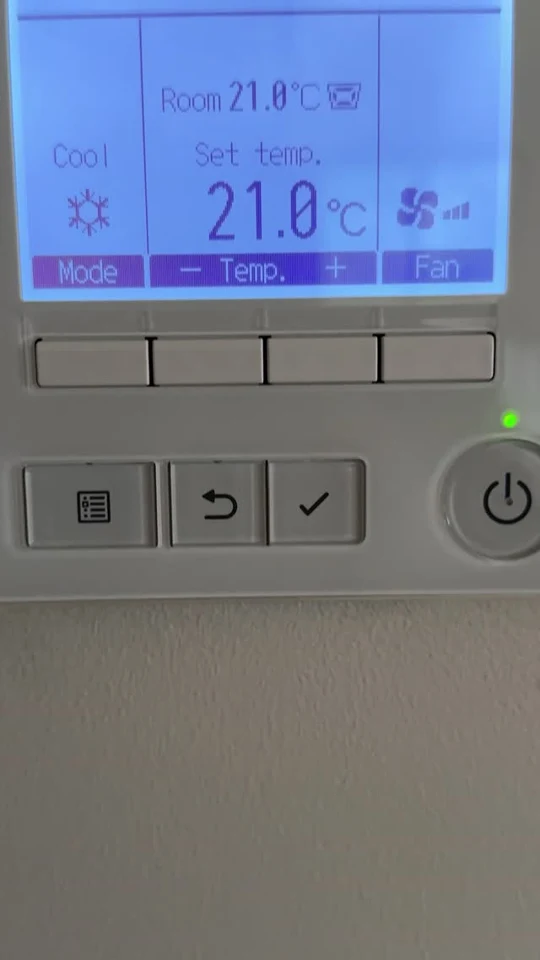
The useful description is more specific than “Daikin air conditioner” or “Mitsubishi unit”. Record whether the property has a wall split, multi-split, ducted system or commercial arrangement, along with the controller model where known. Add a plain-language description of the spaces served. This helps avoid booking the wrong type of assessment.
For a ducted property, link to the available zone list and handover documents. Do not invent a duct layout from the number of visible grilles. The purpose is to preserve known configuration, while leaving design and compatibility decisions to appropriately qualified people.
Make the next step specific. Ask our team about the relevant service, or call 0402 155 761 with the property suburb, equipment details and your proposed timing.
Turn invoices into a searchable service history
Create an event log linked to the equipment identifier. Each entry should contain the visit date, provider, agreed scope, reported findings, completed work and any recommended follow-up. Attach the actual invoice or report rather than relying on a short note such as “serviced”. The Australian Government’s earlier HVAC maintenance guidance supports treating records as part of ongoing management.
Keep observations separate from diagnoses. “Water reported below lounge unit” is an observation; a named failed component requires supporting professional findings. That distinction makes the history useful when a different contractor attends later and prevents an early guess becoming an accepted fact.
Add access and authority information carefully
Record access constraints that affect a visit: occupied office hours, a locked plant area, body-corporate coordination or an owner who must approve expenditure. State which team member can authorise an assessment and which decisions need a separate approval. Avoid placing keys, alarm codes or controller passwords in a widely shared register.
Include a link to the controlled access procedure instead. Review it when a tenant, contractor or managing agent changes. A complete model number does not make a work order ready if nobody can lawfully provide access or agree to the proposed work on the day.
Use the record for realistic maintenance planning
Identify upcoming service discussions by equipment history, manufacturer instructions, operating conditions and professional recommendations. A heavily used shop system and an occasionally used bedroom split should not automatically inherit the same calendar entry. The register can flag a review without prescribing technical maintenance intervals itself.
Group visits only when the access arrangements and scope make sense. Record whether a quote includes each asset, because a portfolio total can conceal an omitted system. After work, close out the event only when the agreed evidence has been received and any follow-up has a named owner.
Keep a small register accurate before making it elaborate
For an illustrative three-property portfolio, start with the known systems and identify the missing information. Test whether a colleague can use the register to prepare a clear service enquiry without asking the original author for explanations. If not, improve naming and links before adding more features.
Review the register after installation, replacement and management handover. Archive retired assets rather than silently overwriting them, so old invoices still make sense. The result is a working maintenance record, not a certificate of compliance or a substitute for an inspection by the relevant professional.
Your working checklist
- Assign a unique equipment ID and record the spaces served.
- Link model evidence, manuals and known controller details.
- Separate observations, professional findings and outstanding recommendations.
- Identify access arrangements and the person who can authorise work.
- Update the register after every equipment change or completed service.
A question worth asking
Does every field need to be complete before I book a service?
No. A clear record of what is known and what needs confirmation is more useful than a complete-looking sheet filled with guesses. Tell the service provider which details are unverified and ask what can be confirmed within the agreed visit.
Period sources and further reading
These references support the technical background. The planning examples and checklists are illustrative, not records of completed customer projects.