
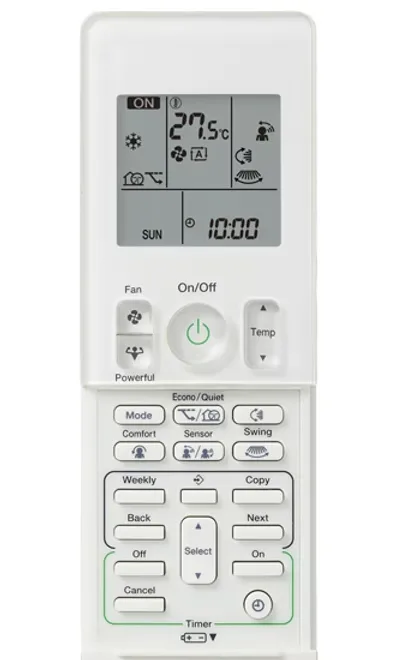
A remote-control problem does not always mean the air conditioner has failed. Start by identifying the controller and describing what happens when you use it. That helps avoid ordering a replacement part before the problem is understood.
Check the controller belongs to the system
Find the indoor-unit model and the controller reference if they are safely visible. A brand name alone is not enough to confirm compatibility. Keep photos of both with your request for help, particularly if the remote is a replacement or a third-party model.
Do not assume that every button on a generic remote represents a function your unit actually has. Confirm heating, timer and special functions against the operating manual for the installed equipment.
Start with batteries and the display
Follow the manual’s instructions for the correct battery type and replacement process. Check polarity and replace the set as directed. If there is battery leakage or damaged contacts, avoid further handling and request advice about a suitable replacement.
Daikin’s troubleshooting guidance identifies worn batteries and a faded display as possible remote issues. It also notes that signal reception can be affected by the room environment. These observations help guide a check; they do not establish the cause of every unresponsive unit.
Review the selected settings
- What mode is selected?
- Is a timer or schedule active?
- Does the remote display change when a button is pressed?
- Does the unit give any acknowledgement or show an indicator?
- Is there a flashing light or error message?
Take a photograph before clearing a setting or replacing batteries, so useful details are not lost. If the system is controlled by a wall controller or app as well, describe what each control does rather than assuming the handset is the only input.
Do not open the equipment to test the receiver
A remote check is not a reason to remove electrical covers, probe a receiver or operate equipment using improvised wiring. Use only the owner controls described in the model manual and obtain help when access or operation is uncertain.
Stop testing if there is a burning smell, water near electrical equipment or repeated protective trips. Those symptoms need a different response from simply changing batteries.
What to send before ordering a replacement
Provide the indoor-unit model, controller reference, a display photo and a short description of what stopped working. Tell the provider whether the remote was lost, damaged or gradually became unreliable.
MyTradie can discuss controller issues and air conditioning fault finding for Brisbane and Gold Coast customers. Compatibility should be confirmed before buying a remote, Wi-Fi accessory or control upgrade.